
Manage several rental branches from one place
When your rental business grows, spreadsheets, separate tools and manual processes stop being enough. Pulso helps you organize an operation with several locations, more vehicles, more bookings and more people working day to day.
- One platform for your operations
- Accounts for your team
- Bookings, documents and invoicing connected
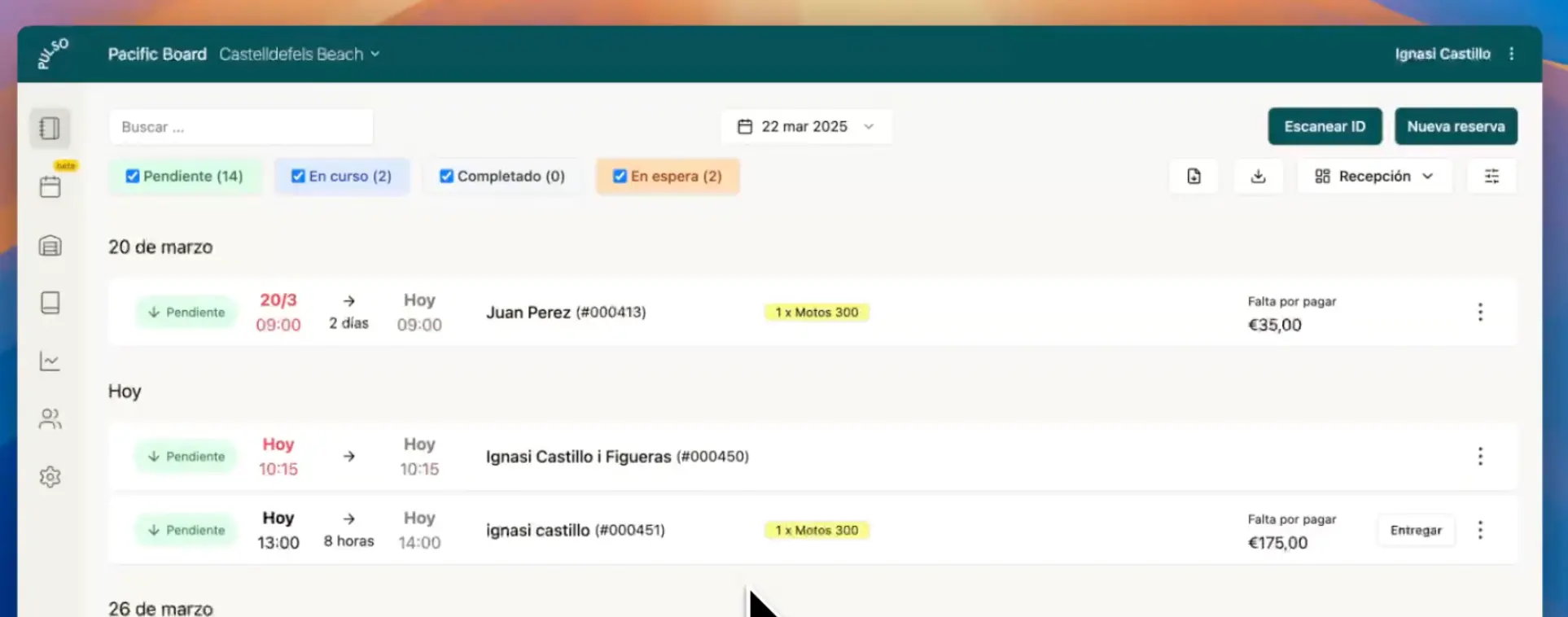
Growing to more than one location shouldn't multiply the chaos
With a single office, almost everything fits in the head of whoever runs the business. With two or three, it no longer does. What used to be solved with a phone call or a glance at the car park now depends on the information being somewhere the whole team can reach.
Pulso doesn't make that complexity disappear. What it offers is a connected system to keep the daily work in, so that growing doesn't mean adding more tools and conversations.
- More vehicles and extras to keep track of
- More bookings and handovers to coordinate
- More people involved in operations
- More risk of data ending up scattered across tools and conversations
Connected operations for a growing rental business
Pulso connects the parts of the rental your team uses every day: bookings, fleet and inventory, customer data, contracts and invoices.
- 1Branches and team
- 2Bookings
- 3Availability and fleet
- 4Customer details
- 5Contracts
- 6Invoicing
Instead of managing each part of the rental in isolated tools, your team works with the booking information in the same system. That makes it easier to keep operations organized as the business adds vehicles, volume or new locations.
Keep bookings organized as volume grows
Your team creates, views and manages bookings in Pulso, and each one keeps together the details that matter for that rental.
- Customer information
- Rented vehicles or products
- Booking dates
- Documents
- Recorded payments
- Invoices, when applicable
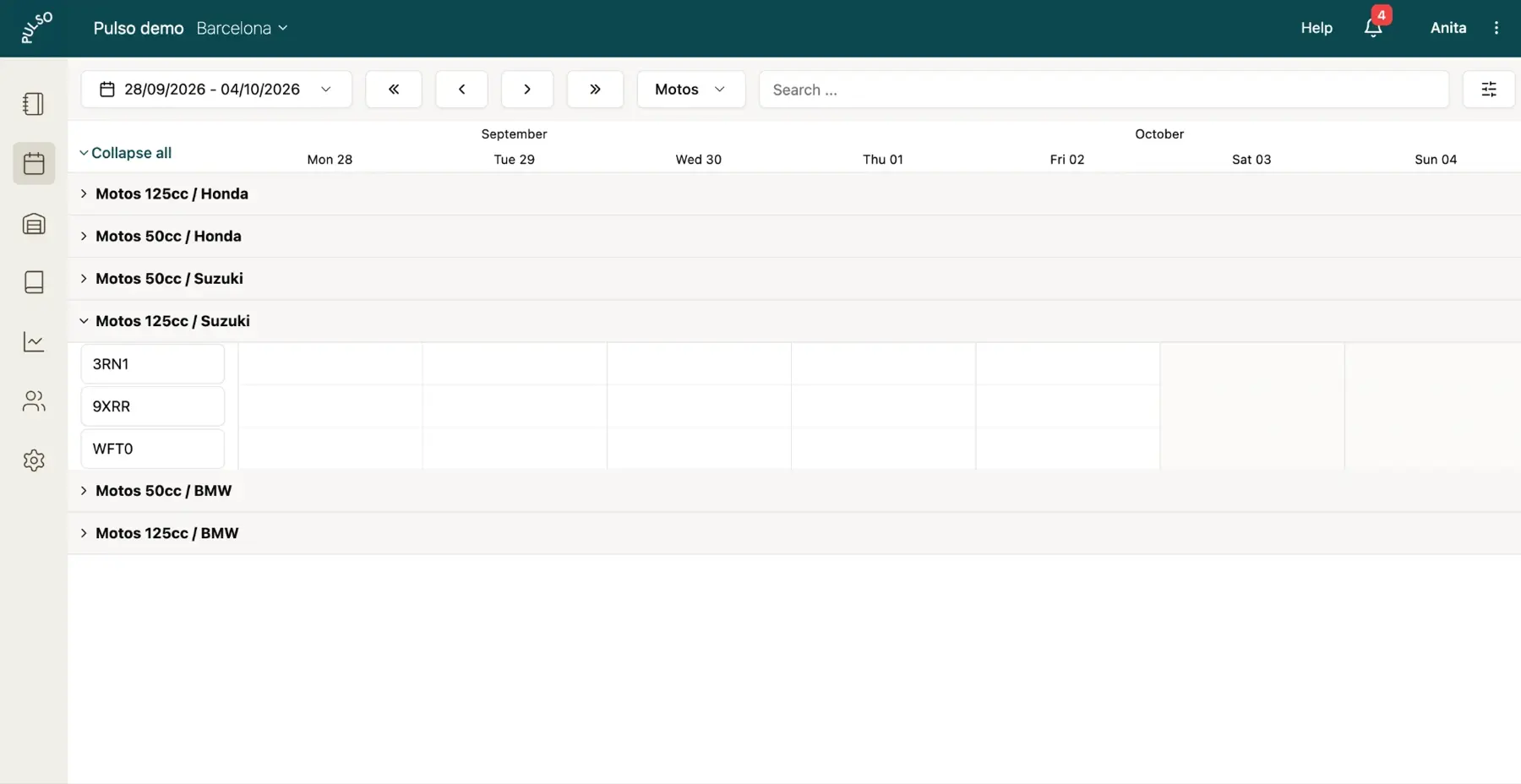
Control a fleet and inventory that grow with you
As operations expand, your team needs a reliable view of its vehicles, products, extras and availability. Pulso brings fleet, inventory and bookings together in the same workflow.
See fleet and inventory management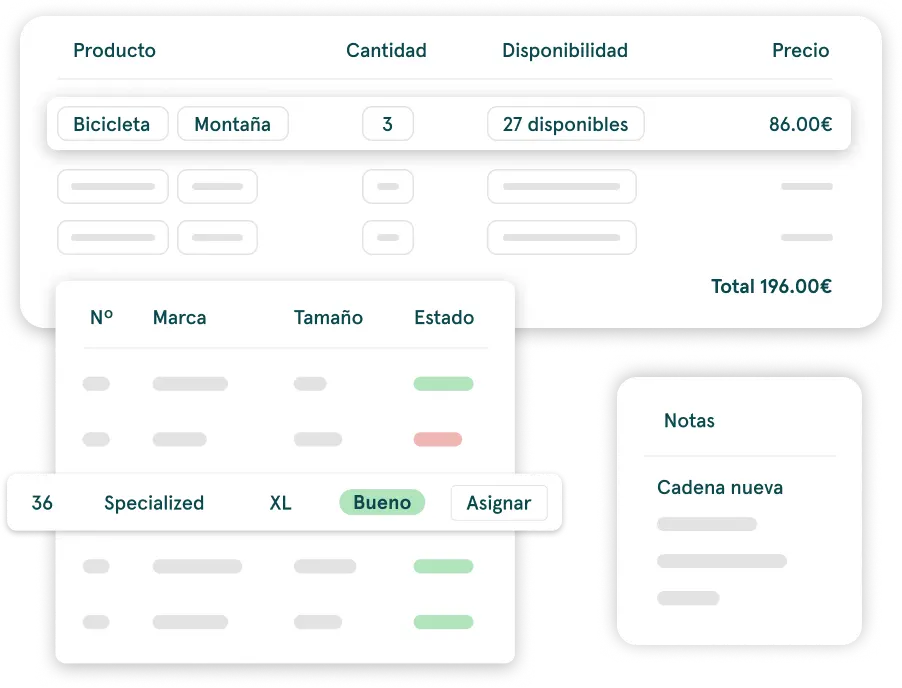
Give your team access to work with the same information
In Pulso you can create staff accounts for the people who run daily operations, so they work inside the platform and not through whoever has the login.
As bookings and the fleet grow, operations stop depending on a single person. Staff accounts help your team view and manage the daily work from a shared platform.
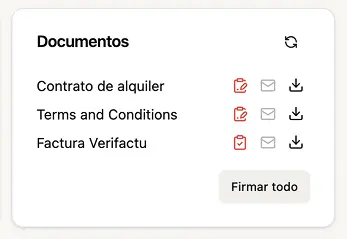
Keep contracts and invoices linked to each booking
The booking works as the rental's file. From it, your team prepares the documents and invoicing, without chasing information across emails, paper and separate systems.
For rental businesses that are already growing
Companies that rent cars, motorbikes and scooters, vans, campervans or motorhomes and that no longer fit in a single office or in a single person.
More fleet and more bookings
For a business that has outgrown informal management and needs a more organized operation.
More people on the team
For companies that need several people to take part in bookings, handovers, documents and customer service.
More than one location
For operators who want to work from a shared platform as their business adds new locations.
You don't need to build your operation piece by piece
There's more than one way to organize a rental business. This is the practical difference between working with loose pieces and working on a connected platform.
With disconnected tools
- Website on one side
- Bookings in another tool
- Customer data scattered around
- Manual contracts and invoices
- Team working with different information
With Pulso
- Rental website and bookings connected
- Daily operations in a single system
- Each booking's data available for contracts and invoicing
- A platform ready to grow with your business
Frequently asked questions
Is Pulso suitable for rental businesses with several branches?
Yes. Pulso is designed to help growing rental companies work from a shared platform for their daily operations.
Can I add accounts for my team?
Yes. You can create staff accounts for the people involved in running the business day to day.
What can I manage from Pulso?
Bookings, inventory or fleet, customer data, contracts and invoicing, depending on your business's workflow.
Does Pulso work for car, motorbike, van and campervan rental?
Yes. The platform adapts to vehicle rental operations with connected bookings, availability and documentation.
Can I use Pulso to build a website and receive direct bookings?
Yes. Pulso includes a rental website builder and an online booking engine.
Keep exploring Pulso
Build a rental website
Showcase what you offer and update your website without relying on developers.
See pageReceive direct bookings
Connect your website to a booking engine built for rentals.
See pageSpeed up handovers with pre-registration
Collect the details you need before the customer arrives at your location.
See pageDiscover how to organize a rental operation with several branches
Tell us how you work today, how many locations you have and what type of vehicles you rent. We'll show you the Pulso workflow most relevant to your operation.