
Manage your fleet's bookings and availability from a single calendar
Create, view and organize vehicle rental bookings with customers, availability, payments and documents connected in one place.
- Availability when creating each booking
- Customer, vehicle and documents connected
- Daily, weekly and monthly calendar
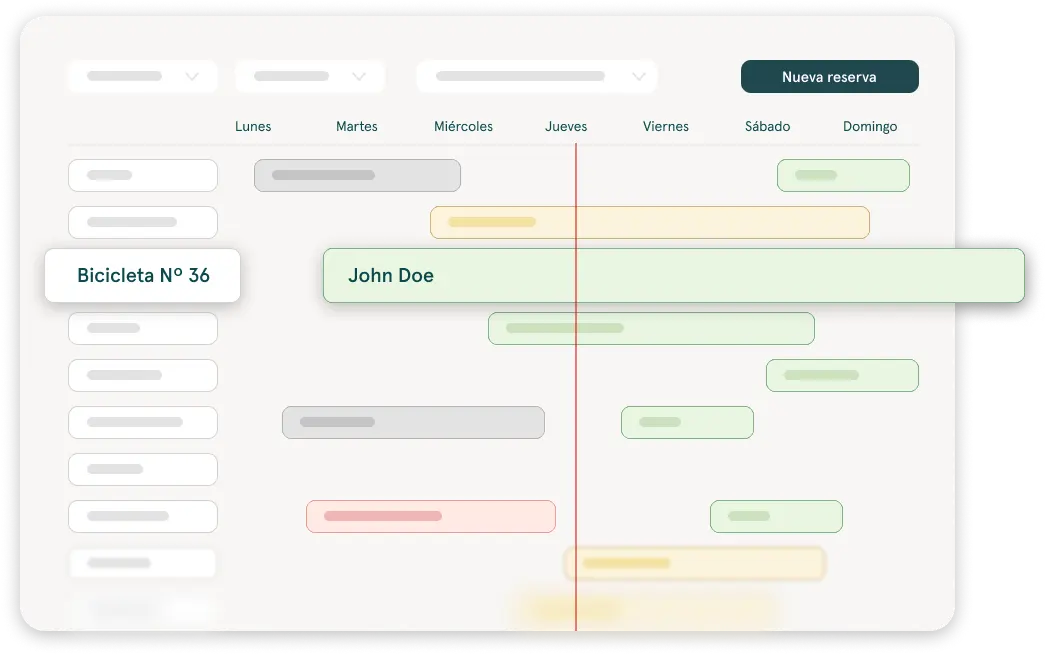
Create bookings with availability in view
Before confirming a rental, check which vehicles or products are available for the chosen dates. Add the customer and the vehicle from the same flow to keep bookings and inventory connected.
That way, whoever picks up the phone can give an answer on the spot, without hanging up to check another sheet or asking a colleague which car is free on Saturday.
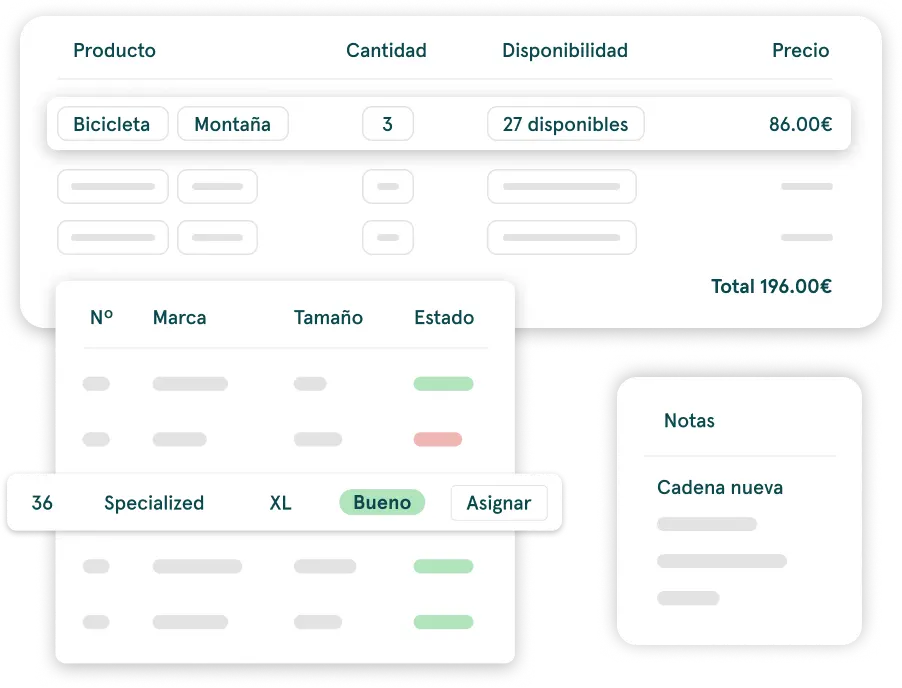
- 1Dates→
- 2Availability→
- 3Customer and vehicle→
- 4Booking
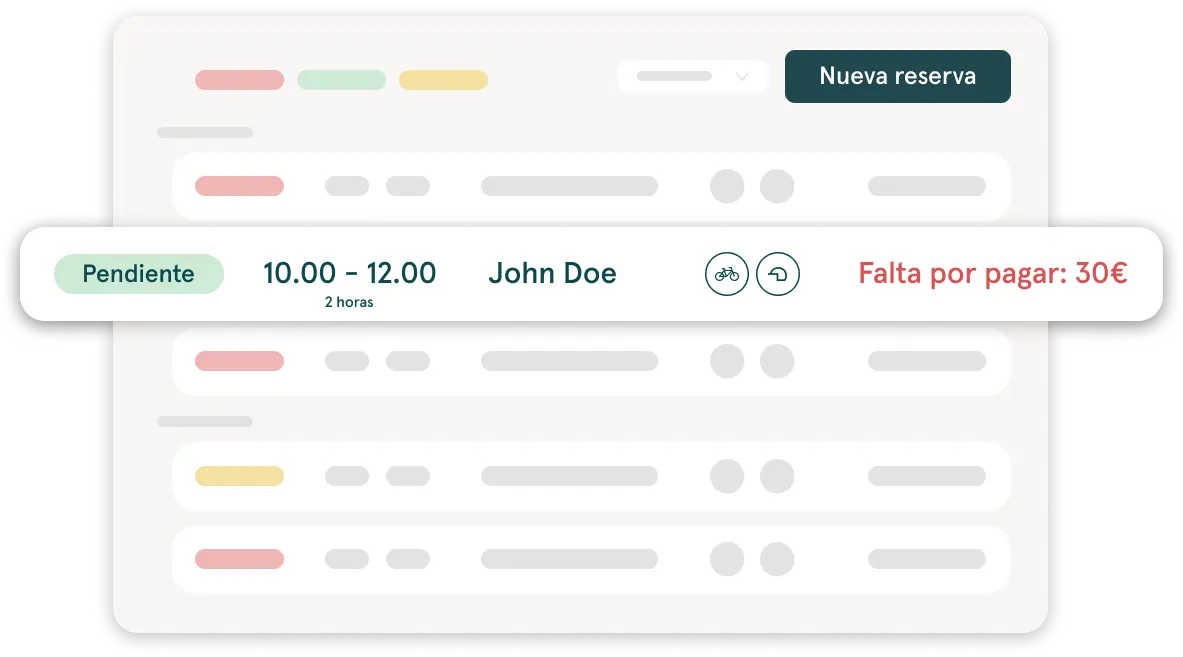
All the information for each rental, in one place
Each booking brings together the information you need to manage the rental, without searching for it in messages, spreadsheets or separate documents.
- Customer detailsWho is renting and how to reach them.
- Booked vehicle or productWhat is being rented and for which dates.
- Contract and documentsThe rental documents and their signature.
- Recorded paymentsWhat has already been collected and what is still pending.
- Invoice and invoicing statusThe invoices linked to that booking.
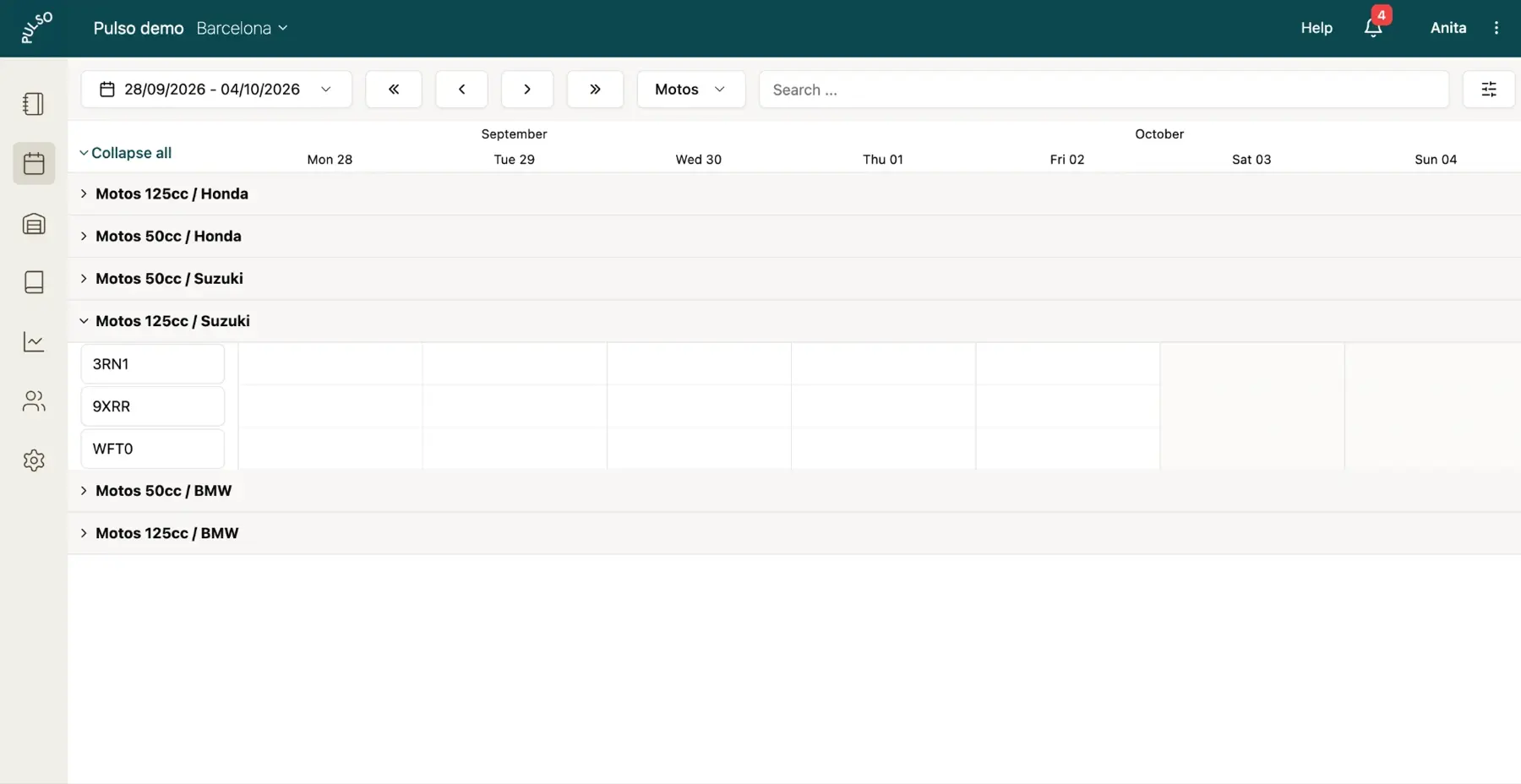
Plan your day from the calendar
View your bookings in a daily, weekly or monthly view. See which rentals are under way, which are coming up and what availability is left for upcoming bookings.
A booking doesn't end when it's confirmed
Pulso connects the booking with the steps needed to manage the rental. Your team can go from the booking to documents, payments and invoicing without entering the same data again.
- 1Booking→
- 2Customer and vehicle→
- 3Contract→
- 4Payment→
- 5Invoice

The booking starts from your rental fleet and inventory, continues with digital rental contracts and ends in rental invoicing.
And if you want your customers to book on their own, online bookings from your website arrive in this same dashboard. It's all part of Pulso's vehicle rental software.
Before the handover, you can ask the customer for their details with online pre-registration.
For vehicle rental businesses
Car rental
Check availability, create bookings and gather all the rental information in a single record.
Car rental software →Motorbike and scooter rental
Manage daily bookings, customers, contracts and payments without chasing data across spreadsheets.
Motorbike and scooter rental software →Campervans and motorhomes
Organize rentals with longer dates and keep the vehicle, documents and invoicing connected to each booking.
Frequently asked questions
Can I create a booking while checking availability?
Yes. When you create a booking you see which vehicles or products are available for the chosen dates, before confirming it.
Can I add customers and vehicles to a booking?
Yes. You add the customer and the vehicle or product from the same flow in which you create the booking.
What information can I see inside a booking?
The customer details, the rented products, the signed contracts, invoicing and payments. Everything stays connected to that booking.
Can I see my bookings in a calendar?
Yes. Pulso includes a calendar where you see your bookings and the availability of your fleet.
Are there daily, weekly and monthly views?
Yes. You can view the calendar by day, by week or by month.
Are bookings connected to contracts, payments and invoices?
Yes. Each booking is connected to the inventory, contracts, payments and invoicing, so your team doesn't have to enter the same data again at every step.
Can I manage bookings for cars, motorbikes, scooters and campervans?
Yes. Booking management works the same way for cars, motorbikes, scooters, campervans and motorhomes.
Can I receive online bookings from my website?
Yes. With the Pulso booking engine your customers book from your website and those bookings arrive in the same dashboard where you manage the rest.
Keep exploring Pulso
Control your inventory or fleet
Manage products, vehicles, extras and packs with their availability.
See pageSpeed up handovers with pre-registration
Collect the details you need before the customer arrives at your location.
See pageInvoice with ease
Create invoices from the booking and send them to your customers.
See page