
Integrated rental invoicing
Generate invoices from your rental bookings, record deposits, and send them to your accountant from the same platform you use for bookings and payments.
- Invoices from each booking
- Invoice sent to customer
- Download PDF invoice
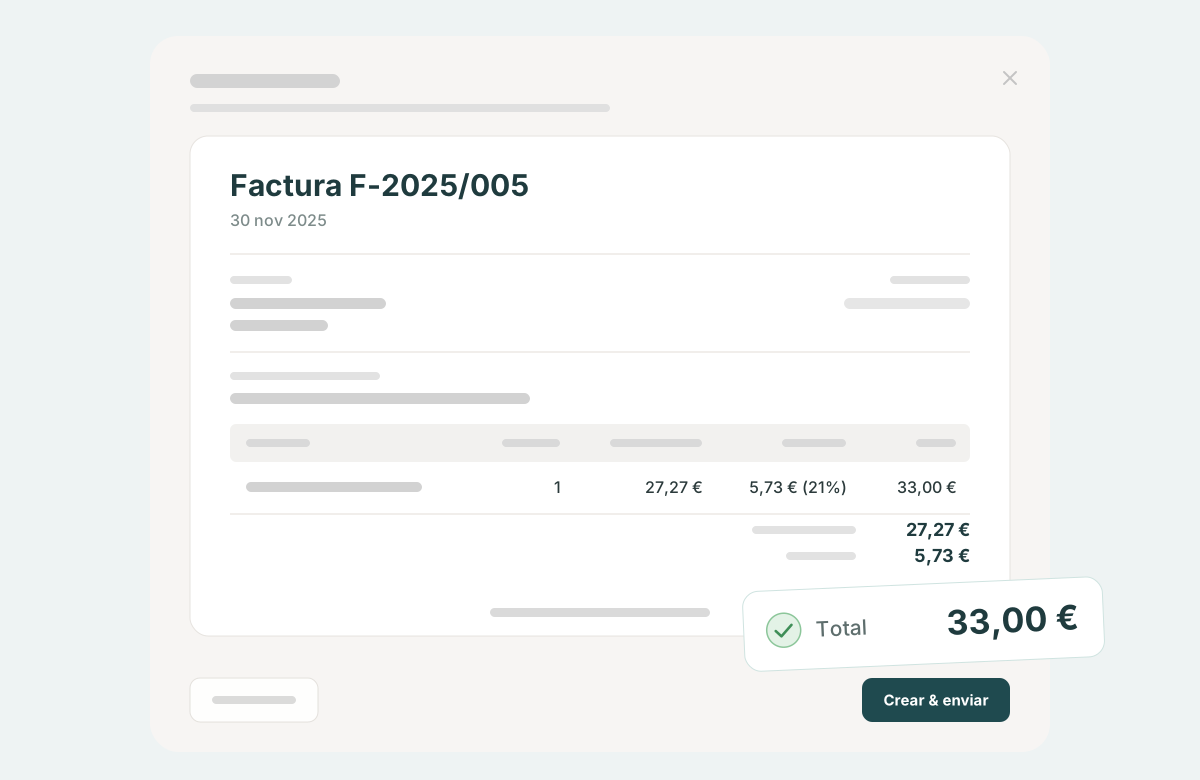
Never rebuild an invoice from scratch again
Every rental already has products, dates, a customer, prices and payments associated with it. Pulso brings that information together so you can prepare the invoice from the booking itself, without copying the data into another tool.
- 1Booking→
- 2Recorded payments→
- 3Invoice→
- 4Send to customer→
- 5PDF download
In a rental business, the invoice is rarely a single payment. There's a deposit when booking, the rest at pick-up, sometimes a discount or a penalty. With several bookings a day, redoing all of that by hand in a separate invoicing program is where discrepancies creep in.
Invoices that match the reality of each rental
Rental invoicing software has to understand how a rental is paid for: in parts, with changes and with corrections. Pulso works with standard, deposit, balance and credit notes, all linked to their booking.

Deposits and outstanding balance
Generate a deposit invoice when you receive a partial payment and a balance invoice when the remaining amount is paid.
Clear rental line items
Include the rental items, dates, taxes, discounts, penalties and recorded payments.
Credit notes
When you need to correct an invoice, create a corrective invoice linked to the original and keep the history.
Organized invoices
Keep numbering, documents and cancelled invoices easy to find from the corresponding record.
Closing the month is easy with Pulso
At the end of each month you can access the accounting section of Pulso and download all invoices in one click. Then send them to your accountant, so that he can import them in his accounting software. No need to chase invoices anymore!
Focus on your business. Not on accounting.
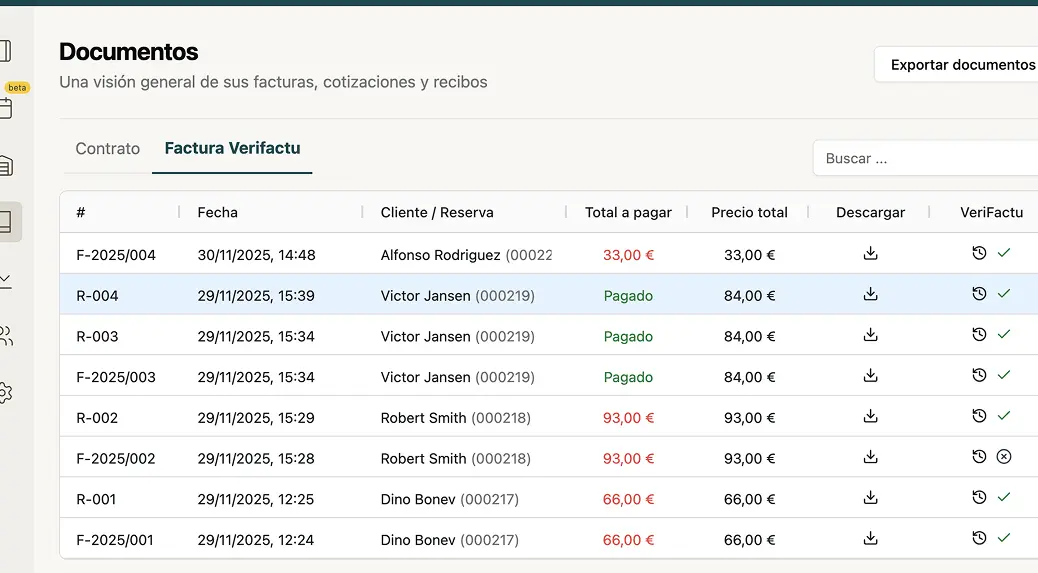
- 1
Generate the invoice
Review the booking information and create the invoice.
- 2
Close the month
Send all invoices to your accountant in one click.
- 3
Enjoy
Enjoy a stress free closing of the month and focus on improving your business.
Each business remains responsible for its correct tax configuration. This page describes what the software does and is not tax or legal advice.
PDF and customer access
Once generated, download the invoice as a PDF or share a link with the customer so they can view and download it.
- Download the invoice as a PDF.
- Share a link so the customer can view and download it.
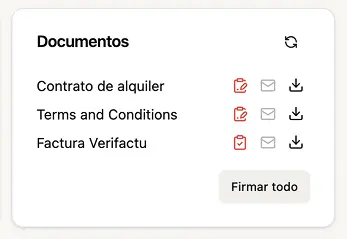
Bookings, contracts and invoices in one flow
The invoice doesn't live isolated in another tool. It's part of the same rental operation, together with the booking, payments, customer details and documentation.
Bookings can come from your website with the booking engine, digital rental contracts are generated with the same data, and it's all part of Pulso's vehicle rental software.
The invoice is prepared from booking management, where the customer and payments already are.
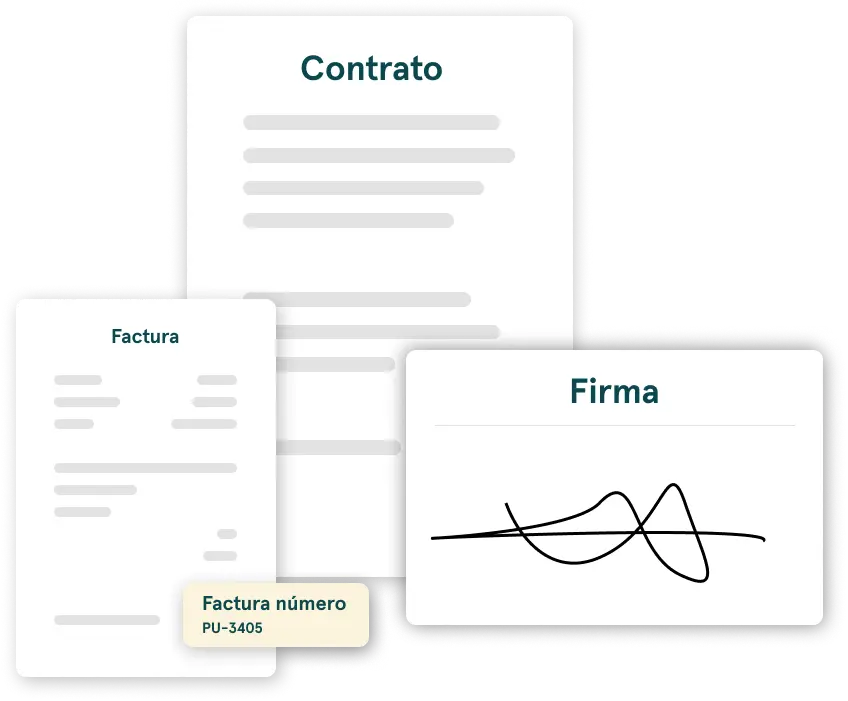
- 1
Booking and payments
The booking brings together what is being rented, the dates and the recorded payments.
- 2
Customer details
The customer details are in that same booking.
- 3
Contract and signature
The contract is generated and signed from the same information.
- 4
Invoice
The invoice comes from the booking and its record is sent to the customer.
For rental businesses
Invoicing for a car, motorbike or van rental business has the same ingredients: bookings, partial payments and vehicle rental invoices you need to be able to find later.
Car rental with deposits and final payments
Record the booking amounts and generate the invoice that corresponds to each payment.
Motorbike or scooter rental with daily operations
Keep invoices, credit notes and documents easy to find alongside each rental.
Easy accounting
Export all your invoices at the end of the month and send them to your accountant.
Frequently asked questions
Can I generate invoices from a rental booking?
Yes. The invoice is created from the booking itself, with its rental items, dates, taxes, discounts and recorded payments. You don't have to copy that data into another tool.
Can I issue one invoice for a deposit and another for the remaining balance?
Yes. You can generate a deposit invoice when you receive a partial payment and a balance invoice when the remaining amount is paid.
What happens if I need to correct an invoice?
You can create a corrective invoice linked to the original. You can also cancel an invoice: cancelled invoices remain in the history and the numbering stays sequential.
Can I download or share an invoice with my customer?
Yes. You can download the invoice as a PDF or share a link with the customer so they can view and download it.
Do invoices include a QR code?
Yes. Invoice PDFs are generated with the QR code built in.
Can Pulso send the booking invoice to the customer?
Yes. Pulso can send the booking invoice to the customer once it is generated.
Can I export all invoices at the end of the month?
Yes. You can export all invoices at the end of the month and send them to your accountant.
Can I use Pulso to invoice car, motorbike or van rentals?
Yes. Invoicing works the same way for businesses that rent cars, motorbikes, scooters, vans, campervans and other vehicles.
Keep exploring Pulso
Prepare digital contracts
Generate, share and store documents linked to each booking.
See pageManage bookings and availability
Organize every booking from a calendar connected to your inventory.
See pageSpeed up handovers with pre-registration
Collect the details you need before the customer arrives at your location.
See page