 Ivan Stoilov
This article is part of the Bicycle rental business management guide.
1. The three variables to track
Availability. Which bikes are rented right now, when they're expected back, and which ones are free for tomorrow. Without this in real time, confirming a booking becomes a gamble.
Condition. Which bikes are operational, which are in maintenance or being repaired, and which haven't been serviced in a while. A bike going out with faulty brakes is a legal problem as well as an operational one.
Assignment. Which specific bike each customer has at any given moment. If there's an accident or a damage dispute, you need to know which serial number went out with which person.
2. How to set up an inventory spreadsheet: where to start
If you're just starting out or have a small fleet, a spreadsheet can be enough for the first few months. The key is to structure it from the beginning in a way that scales, not as a digital notebook.
The minimum columns your inventory sheet needs: unique ID per bike (serial number or internal code), model and type (urban, MTB, electric, road), brand and colour, current condition (in service, in maintenance, out of service), purchase date, last service date, next scheduled service date, location if you have multiple points, rental status (available, rented, reserved), and rental price by duration.
To make the sheet useful day-to-day, add filters to each column. That way you can see in seconds which bikes are available tomorrow, which haven't been serviced in more than 30 days, or which are in for repair. Data validation in the condition column (only allow "In service", "In maintenance", "Out of service") prevents inconsistent entries that are hard to filter later.
3. Maintenance and repair tracking
A bike that's gone out 40 times in a row without a service is an operational and legal risk. Keeping the maintenance log inside the same inventory system gives you visibility into the real condition of each unit.
For each bike, record: date of each repair, description of the work done (tyre replacement, brake adjustment, chain lubrication, inner tube change), repair cost if applicable, and date of the next scheduled service. With that column visible you can identify which bikes need attention before something fails during a rental.
A barcode or QR code per bike, though optional, speeds up the update process: instead of searching for the ID in the sheet, you scan and go straight to that unit's record. Particularly useful for fleets of more than 20 units.
It's also worth listing on bike rental aggregators like TravelandRent to drive more traffic to your website while managing demand from one place.
4. Availability control: active rentals and returns
Availability control is the most critical part of inventory management during peak season. You need to know at any moment which bikes are rented, who has them, and when they're due back.
The columns this section needs: active rental (yes/no), rental start date, expected return date, customer name or booking reference. With the return date visible you can quickly identify which bikes you need ready for tomorrow, and which should have come back already and haven't.
A periodic physical inventory check (weekly in peak season, monthly in low season) is essential even if you use a spreadsheet. Compare what you have in the sheet with what you physically have in the shop. Discrepancies surface before they become a problem.
5. Performance analysis: what your inventory data tells you
A well-maintained inventory sheet isn't just an operational record. Over time, the accumulated data tells you useful things.
Which models rent most: if electric bikes go out in the first hours of the day and MTBs sit around, that's information for your next fleet purchase. Which bikes generate the most maintenance cost: a bike that goes in for repair every two weeks may be costing more than it earns. Profitability per unit: accumulated rental revenue for that bike over the season, minus repair costs, minus proportional depreciation.
With a spreadsheet you can do these analyses with pivot tables or basic charts. With management software, that data is available in real time without manually cross-referencing sheets.
6. When a spreadsheet stops being enough
Spreadsheets work up to a point. With fewer than 15 bikes, in-person management and no online bookings, they can be enough to start. The problem appears when volume grows.
A spreadsheet doesn't update itself when an online booking is confirmed. It doesn't alert you when two bookings overlap for the same bike. It doesn't automatically distinguish between an available bike and one in repair unless someone manually updates the sheet every single time. During peak season with multiple daily bookings, the error rate rises quickly. And the most common error (confirming a booking for a bike that's already taken) is the one that does the most damage to the business's reputation.
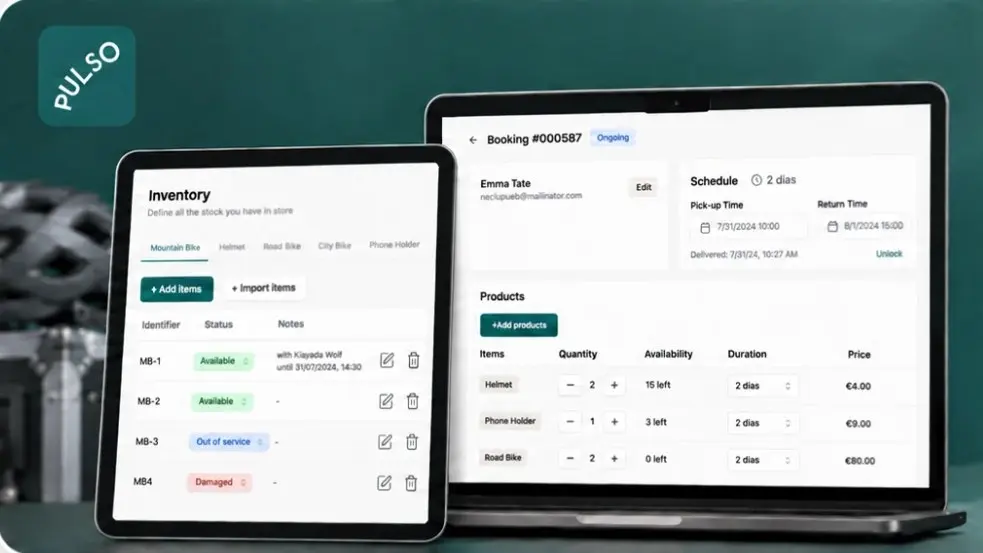
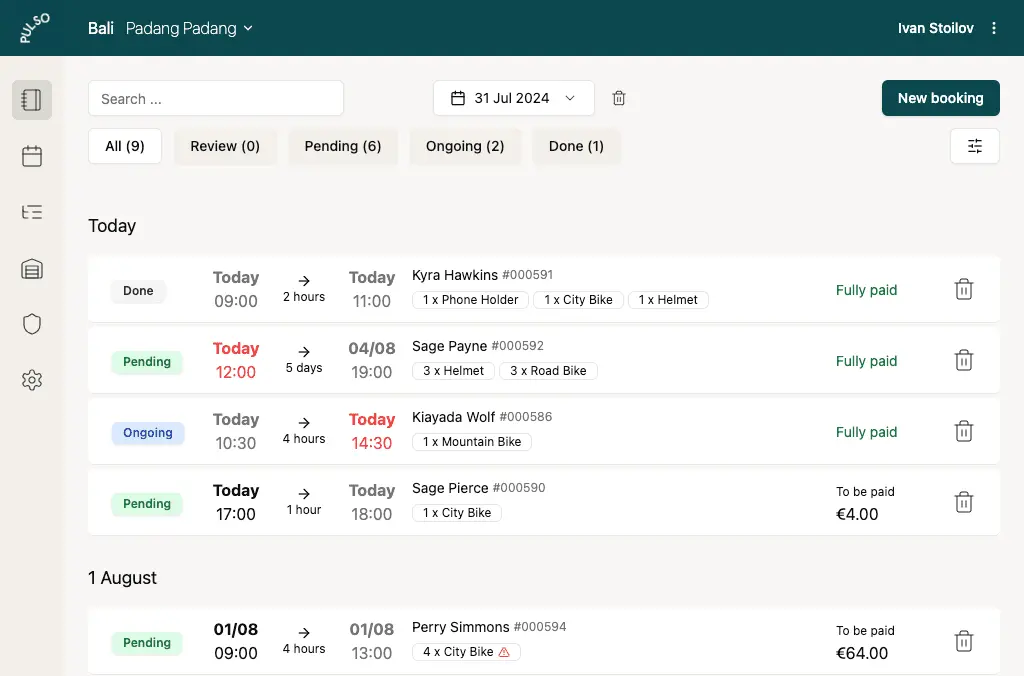
With rental management software like PULSO, inventory updates automatically every time a booking is confirmed or cancelled. If a bike is assigned to a customer until 6pm, the system won't allow another booking for that same bike at 4pm. You can manage the status of each unit, see real-time availability, and mark bikes in maintenance to automatically exclude them until they're ready.
Frequently asked questions
From how many bikes do I need management software?
From around 10-15 units, or once you have active online bookings. With fewer bikes and in-person management, a spreadsheet may be enough to start. The real tipping point is your first double booking, or when manual check-in during peak season starts creating queues.
Can I manage electric and conventional bikes in the same system?
Yes. PULSO differentiates by bike type within the same inventory, with separate availability and pricing for each type without complicating the process for the customer.
What happens if a bike breaks down during a rental?
Mark it as "in maintenance" in the system and that unit is removed from availability until repaired. Any future bookings already assigned to it need to be manually reassigned to another available unit.
Does it make sense to use barcodes or QR codes for inventory?
For small fleets, not necessary. From 25-30 units, or if you have multiple rental locations, scanning speeds up status updates for each unit and reduces manual entry errors.
 Ignasi Castillo